FAQ
LYNX Scan FAQ
Hidden cameras, GPS trackers, everyday use and guarantees: answers to your questions, including the limits to understand before and after buying.
Detection & alerts
What optical and radiofrequency modes can — and cannot — find.
The optical lens-finding mode, described as ‘infrared’, may help reveal a lens reflection behind a small opening. This is only possible if part of the lens is visible, illuminated and aligned with your viewing direction.
A tiny opening, a recessed lens, an unfavourable angle or an obstruction can prevent a reflection from being seen. Inspect objects from several angles and at close range where safe, without dismantling them. Screws, shiny surfaces and other reflections do not prove a camera is present. Detection of every pinhole camera is not guaranteed.
Optical inspection does not rely on wireless transmission: it may reveal an accessible lens even if a camera is switched off or records locally to a memory card. It does not tell you whether the device is working or recording.
Radiofrequency (RF) mode looks for active emissions within the advertised 3 MHz to 8,500 MHz range. A switched-off or wired camera, or one recording without transmitting, may therefore produce no RF alert. The two modes complement each other, but a check without alerts does not guarantee that surveillance is absent.
The product has 4 sensitivity levels. High sensitivity helps with an initial sweep; lower sensitivity may help locate a nearby source when the LED bar reacts everywhere. Adjust gradually as described in the manual rather than always using the maximum setting.
Wi‑Fi, Bluetooth, phones and ordinary equipment can trigger alerts. The LED bar, beep or vibration indicates a response to a signal, not the identity of the device or proof of spying. Compare readings at different locations and repeat the check: an intermittent transmitter may stay silent while you pass it.
Park somewhere safe, switch off the engine and start with a visual check of the cabin, visible areas under the seats, the boot and accessible exterior surfaces. Do not crawl underneath an unsecured vehicle or remove trim.
RF mode may help if a tracker is transmitting during your check within the supported range. It does not detect GPS itself: a device that only receives satellite signals, stores locations or transmits intermittently may go undetected. Your phone, Bluetooth or the vehicle’s telematics can also cause alerts.
If you see an unfamiliar box, do not disconnect it or touch wiring. Photograph what is visible from a safe place and ask a qualified professional to identify it.
No. A device may be concealed, switched off, outside the advertised frequency range or silent during your check. Optical inspection needs a visible lens; RF inspection needs a detectable transmission at the time you scan.
LYNX Scan does not certify that accommodation or a vehicle is safe and does not automatically identify the type of transmitter. If credible concerns remain, put your safety first and seek help from the platform, authorities or a qualified professional, as appropriate.
What if I find something suspicious?Range & limitations
The advertised 10 metres are not a guaranteed protection radius.
The 10 m figure is the advertised range in the information supplied for this product, for both signal detection and optical inspection. We do not have an independent LYNX Scan test that guarantees this distance in your accommodation or car.
RF range depends on transmitter power and frequency, sensitivity, walls, metal and interference. For optical inspection, lens size and visibility, lighting and viewing angle matter; it cannot see through obstructions.
Do not rely on a scan from the doorway. Inspect each room and gradually approach accessible areas. No fixed detection radius or reliable minimum distance can be promised from the available specifications alone.
Optical mode cannot see through obstructions: part of the lens must be illuminated and visible. A camera behind a covering, mirror or inaccessible opening may not produce a visible reflection.
RF signals may pass through some materials, but walls, metal and bodywork can weaken or block them. An alert can also originate in another room. The device cannot see behind a surface or conclusively identify a concealed object. Inspect accessible areas without dismantling anything.
Use & battery
A methodical inspection, a charged battery and safe handling.
Inspect methodically when you arrive, prioritising the bedroom and bathroom. A quick initial sweep is not a substitute for a careful inspection. Consult the included manual for the exact controls for modes, sensitivity and alerts.
- Check the battery, then look at objects facing the bed, shower or toilet: clocks, chargers, lamps, sockets and unusual small openings. Only inspect spaces you are authorised to access.
- For RF checks, temporarily put your own devices in flight mode or disable their wireless connections where safe. Do not unplug the accommodation’s equipment: you could also switch off the device you are trying to find.
- Slowly scan accessible areas in RF mode. If an alert occurs, move closer in stages and gradually reduce sensitivity to narrow down the area, without touching wiring or opening housings.
- Switch to optical inspection and examine openings from several angles. Reduce ambient lighting if safe, while keeping a safe path to walk. Treat a reflection cautiously, not as proof of a camera.
- Note your observations and recheck any areas of concern. Never remove a smoke detector, socket or cover. If you remain concerned, contact the host or platform from a safe place.
The advertised battery capacity is 300 mAh. The 30-day figure refers to standby, not 30 days of continuous inspection. Optical inspection, alerts, vibration and other operating modes consume more energy.
Active-use battery life is not specified in the available information, so we cannot promise a reliable number of hours. Charge it before travelling, check the battery before each inspection and avoid leaving it running unnecessarily between checks.
Charge through the USB‑C port using the included cable. Follow the manual to choose a compatible USB power supply and recognise when charging is complete. No charging time, adapter power rating or fast-charging capability is confirmed in the supplied information.
Charge in a dry place away from excessive heat, using an undamaged cable. Do not use the device if the battery is swollen, the port is damaged or it becomes unusually hot. After a long period in storage, check its condition and recharge if needed before your trip.
Do not draw conclusions from a single reflection or alert. If an object concerns you, avoid handling or moving it; document its position from a safe place, then contact the host, platform or a qualified professional as appropriate.
For a credible threat, contact local authorities. In immediate danger, leave and move to safety before any further inspection. No alert does not rule out a hidden device: LYNX Scan is an inspection aid, not a safety certification.
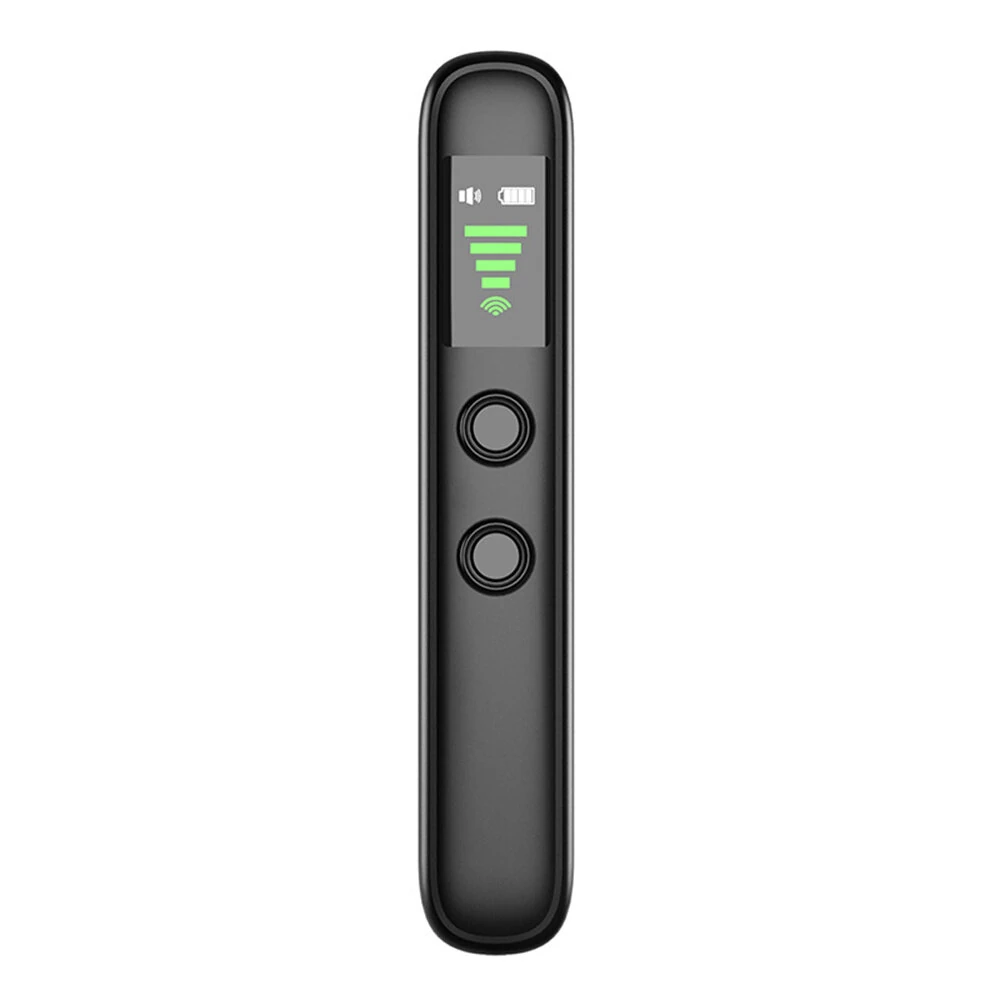
What if I find something suspicious?1 black LYNX Scan detector, 1 wrist strap, 1 USB‑C cable and 1 instruction manual. A mains adapter is not listed among the supplied accessories.
Guarantees & support
Distinguish your statutory rights from any additional commercial offer.
For new goods bought by a consumer from a professional seller, where French law applies, the statutory guarantee of conformity covers qualifying defects that become apparent within two years of delivery. Contact the seller to invoke it, not just the manufacturer.
EU rules provide a legal guarantee of at least two years from receipt; national law may offer additional protection. This guidance is not a LYNX Scan-specific commercial warranty. The terms of any additional warranty have not been confirmed at this time.
Contact customer serviceThe statutory guarantee addresses lack of conformity, such as a device that does not work as agreed or described. A battery issue may qualify if it constitutes a conformity defect; normal wear, accidental damage or misuse do not automatically entitle you to a remedy.
No alert near a suspicious object does not, on its own, establish a fault. The limitations of optical and RF modes must be considered without restricting the customer’s statutory rights or excusing a promised feature that is not delivered. Whether an issue qualifies depends on the facts and contract.
The statutory guarantee does not mean an immediate refund in every case. Free repair or replacement are the usual remedies; a price reduction or cancellation of the sale may be available in the circumstances provided by law.
Keep proof of purchase and contact the seller, using the Contact page if you ordered from us. Do not open the device or attempt to repair a damaged battery. If the battery swells or becomes unusually hot, stop using and charging it.
No response time, return procedure or automatic refund is confirmed here. Ask for suitable instructions before sending anything back; your statutory rights still apply.
- Include your order reference and delivery date, if known.
- Describe the fault, the mode used and the checks already performed according to the manual.
- If helpful, include a photo of the device without sensitive information, then ask the seller for support instructions.
For eligible distance purchases from a professional, French law generally provides 14 days from receipt of the goods to notify withdrawal, subject to statutory exceptions. This right is separate from the statutory guarantee of conformity. Check the terms of sale for the procedure and any return costs.
No additional 30-day money-back offer has been confirmed for LYNX Scan. It should not be assumed. Contact the seller for the terms actually applicable to your order, without prejudice to your statutory rights.
Contact customer serviceSources on your rights
France / European Union guidance, checked on 29 October 2026. Applicable law depends on your purchase and country. Technical guidance reflects the available product information; no independent LYNX Scan test is available here.
Still have a question?
For help using your device or reporting a problem, describe the situation and include your order reference if you have one. Do not send payment details or intimate images.
Contact customer service